Hey, writers!
What is the most irritating thing that you usually experience while writing?
Distractions? Writer’s block? Or spelling/grammatical errors?
Okay, I’ve shared mine. After years of writing, I’ve managed to overcome nearly every writing challenge, but one area continues to stump me. Yeah, grammatical/spelling errors.
Don’t worry; it’s a common occurrence. Every writer wants clear and error-free writing. When writers work, they usually focus on emotions rather than spelling and grammar. They tried to articulate everything they have inside. In this state of fury, they become lenient towards spelling and grammatical errors. I also faced this issue. I also wished for someone to correct these mistakes in real time. And I’ve got it.
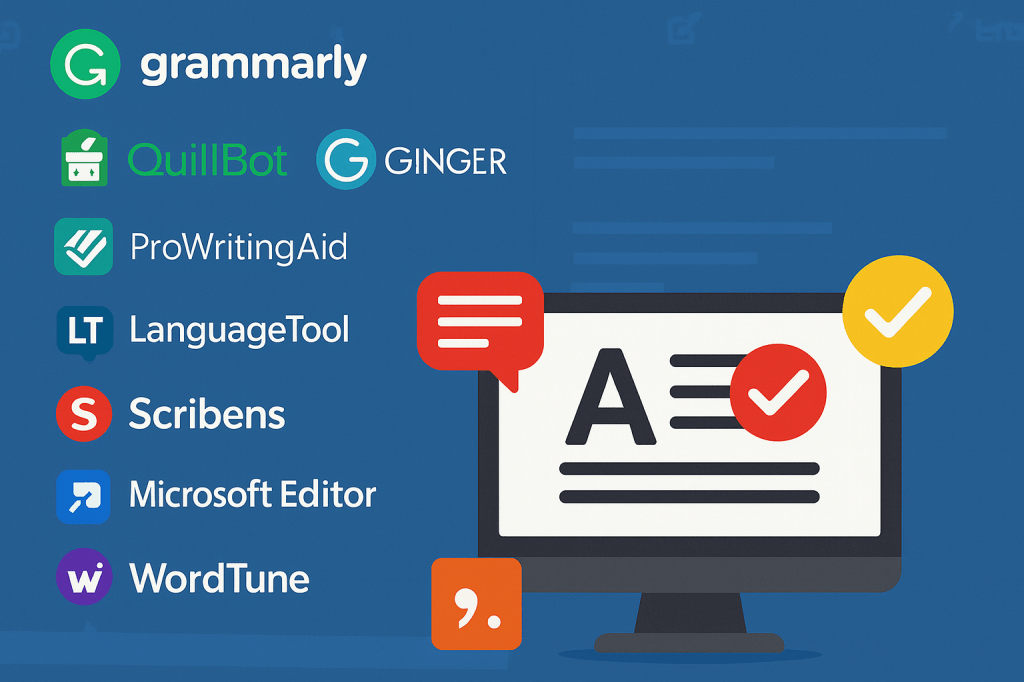
We all know technology is evolving rapidly. They are continuously making things easier. That’s why I’m here, to connect you with the top 10 free grammar & punctuation checkers that are boon for the writers.
Keep in mind that for deeply creative or technical writing, human editorial review remains indispensable. But as instant writing companions, these tools are worthy.
Let’s dive into it.
Top 10 Smart Grammar and Punctuation Tools that Make Writing Faster and Easier
Whether you’re scripting a novel, composing a blog post, or preparing a screenplay, even the best writers need help spotting small mistakes. Here, you can use smart tools to improve the readability of your content and save you hours of wasted time.

1. Grammarly
Grammarly is one of the most trusted writing tools. It is trusted by over 40 million people and has more than 30 million daily active users. It can identify 87% of errors in any professional content and 95% in simpler texts.
Grammarly helps with clarity of expression, sentence structure, formal vs informal tone, and consistency of writing voice. The company claims to build the next generation of AI communication assistance and actively invests in AI research. It is suited to all writing formats.
Ideal for: Authors, Fiction writers, Academic writers, Audio scriptwriters, Bloggers, Email writers, etc.
Key features:
- Grammarly’s ease of use and instant feedback make it a fast, reliable, and structured tool. Due to its effective suggestions, it suits professional communication well.
- It can assist with grammar/punctuation, clarity, and style for academic writing. Also, compare your writing with billions of web pages.
- Authors or writers can use it to make a clean, error-free manuscript before sending it to editors.
- Grammarly works in browser extensions, in word-processors, and across devices. It enables writers to receive real-time feedback wherever they write.
- It offers paraphrases, rewrites, and AI-powered content suggestions for better flow and creativity.
Writers can start for free, then upgrade for advanced suggestions and features. Grammarly is a strong fit for any writing context where correctness, clarity, and tone matter and where the writer needs efficient feedback.
2. QuillBot Grammar Checker
QuillBot is another highly useful grammar checker globally. It serves more than 35 million writers worldwide. Its Chrome extension alone has a rating of 4.7/5 with more than 5 million users listed in the Chrome Web Store. QuillBot’s grammar checker uses AI to scan for punctuation, spelling, and word-use mistakes. A review by Scribbr found that QuillBot scored 20 out of 20 in their 20-error test and ranked above many competitors.
QuillBot is generally reliable, but it may falter on complex sentence structures or highly technical writing.
Ideal for: Bloggers, Students, Business email marketers, etc.
Key features:
- QuillBot is best suited for writers who regularly generate web content and need fast and reliable grammar/punctuation.
- It is helpful in clear professional communication, such as business writing, emails, and reports.
- QuillBot integrates with paraphrasing, summarising, translation, and tone adjustment. This makes it appealing when you’re doing full writing projects.
- It also provides “Fix all errors” functionality, which saves time.
- Use it as a reliable assistant, especially during your polishing phase.
Note: QuillBot offers a robust free version. It is an efficient tool that ensures your writing is grammatically correct and clear. It is a strong fit for writers who want both error correction and voice-preserving rewrite suggestions.
3. ProWritingAid
ProWritingAid is one of the trusted grammar checkers. It has 4 million users worldwide. ProWritingAid’s deep-editing features make it a reliable choice for writers. Multiple reviews highlight that it catches most errors and offers a large suite of reports for style, structure, readability, and grammar. It is viewed as such a strong editing assistant, but it has some flaws. It works well for instant feedback and short writing pieces, but for extremely long documents, it is not very beneficial.
Ideal for: Digital content writers, Bloggers, Non-fiction writers, etc.
Key-features:
- ProWritingAid is very reliable for grammar, style, and structure. It works best when used deliberately for short pieces or chapter by chapter.
- It supports different writing types, so the suggestions adapt to your context.
- Its real-time grammar, spelling, and punctuation correction helps writers consistently improve their words.
- It has a plagiarism checker that keeps your content original and impactful.
- It works across web editors, Word files, Google Docs, and browser extensions that enable editing in a normal workflow.
It is highly recommended for those who regularly publish and want a higher standard of editing, especially when building a brand of writing excellence. Overall, it’s a trustworthy tool when used with awareness of its strengths and limitations.
4. LanguageTool
LanguageTool is an excellent grammar checker for multilingual writers. It offers deep punctuations and style checks. It is trusted by over 4 million users according to its website. It also supports browser add-ons with more than 2 million active installations.
Scribbr’s reports say LanguageTool detected 19 out of 20 errors in a controlled test text. It indicates a very high basic error-detection capability. It is highly recommended for short professional writing pieces.
Ideal for: Multilingual writers, Bloggers, Digital content writers, Academic writers, etc.
Key features:
- LanguageTool is workflow-friendly and supports multilingual and international contexts.
- Grammar, spelling, and punctuation checking in real time across many platforms.
- Integrations with document editors: Google Docs, Microsoft Word/Office, LibreOffice, Apple Pages, etc.
- Style suggestions in addition to basic grammar/punctuation: tone, typography, consistency.
- Affordable premium upgrade: higher character limits, deeper checks, multi-language capabilities at lower cost. Its free version is generous for basic usage.
LanguageTool could be an excellent toolkit for short-format writers. It may not replace a specialized narrative-editing tool for extremely lengthy content, but it provides a robust foundation for clear, correct, and professional writing.
5. Scribens
Scribens is best suited to writing categories where correctness and clarity matter, but do not require deep editing. It is a widely used grammar checker, but use it for basic editing. Scribens is used by 5 million people worldwide. Its presence on multiple platforms suggests broad accessibility and adoption in general writing workflows.
According to Scribens itself, it corrects over 90% of spelling and grammar mistakes. It uses a sophisticated AI-powered algorithm that helps catch many common errors. But for complex writing, it also needs an assistant.
Ideal for: Academic writers, Bloggers, Business content writers, Digital content writers, etc.
Key features:
- Each detected error comes with an explanation, helping writers learn and improve their writing skills.
- Its integration with browser extensions and plugins for Word/Google Docs makes it suitable for every writer.
- Support for over 30 languages.
- Data privacy commitment: encrypted transfers, no storage of free-mode text on servers.
- Free version with no sign-up required.
It is a lightweight, simple interface, which is good for quick checks and initial editing. For writers who need to clean up drafts before deeper editing, Scribens offers a cost-effective foundation.
6. AutoCrit
AutoCrit is a very reputable tool for authors. Even its Sitejabber rating is 4.5 stars, indicating good user satisfaction. It’s specially designed for long-format writing. It is for experienced writers, not for beginners. AutoCrit is fairly reliable. It is not primarily a grammar-only checker; rather, it’s designed for developmental and stylistic editing.
According to TechRadar, it is fast and efficient with detailed editing options, but doesn’t always spot all grammar errors. For total grammatical perfection, a human read-through is still essential.
Ideal for: Novelists, Fiction writers, Audio scriptwriters, Self-publishers, etc.
Key features:
- AutoCrit has powerful tools for pacing, dialogue, repetition, and genre-specific style.
- It gives developmental feedback on plot, character arcs, timelines, foreshadowing, and world-building.
- AutoCrit includes a community for writers, workshops, courses, and challenges to help you improve your writing. It also includes note boards, beat sheet planners, character templates, and structure builders.
- It gives word-choice suggestions based on context rather than just synonyms.
- You can export your text to e-Pub, PDF, or custom templates, which helps you prepare for publishing.
Writers who want to self-edit before sending a draft to an editor can use AutoCrit to tighten manuscripts.
7. Microsoft Editor
Microsoft Editor is one of the most used writing tools globally. It is used by millions because it comes built into Microsoft 365, Word, Outlook, and the Edge/Chrome browser extension. It is considered highly reliable for basic grammar, spell-check, clarity improvements, and professional writing consistency. It performs best inside Word and Outlook, where it receives the most accurate AI-powered suggestions.
However, it is less advanced than Grammarly or ProWritingAid in deep grammar analysis or creative-style editing.
Ideal for: Corporate writers, Academic writers, Content writers, Authors, etc.
Key Features:
- Perfect for fast correcting commas, semicolons, sentence starts, and consistency issues.
- Gives deeper suggestions for clarity, structure, and correctness.
- Identifies long, confusing, or wordy sentences and suggests simpler versions.
- Useful for academic or corporate environments that require originality.
- Deep integration works across Gmail, LinkedIn, blogs, CMS platforms, and social media.
Novelists can use it for clean grammar, but it lacks advanced storytelling analysis, so pairing it with AutoCrit or ProWritingAid works best. It’s built into the writing environments that many professionals already use.
8. Wordtune
WordTune has a grammar/punctuation checking and rewriting/expansion/shortening feature. It is an AI-powered writing assistant built around paraphrasing and context-aware rewriting. It has tens of millions of users and over two million active monthly users. Wordtune is very reliable. Scribbr’s tests ranked it among the top non-traditional grammar tools.
The categories where Wordtune works best are those that benefit from rephrasing and tone control. It is for medium content that needs stronger phrasing.
Ideal for: Content creators, copywriters, marketers, bloggers, non-native speakers, students, etc.
Key features:
- Wordtune generates multiple context-aware rewrites for selected text; this is the core feature for improving clarity and style.
- Compress wordy sentences; expand for blog posts and all.
- Produce tailored rewrites, explanations, or content ideas when you need more than one-line edits.
- Works in Gmail, Google Docs, CMSs, and web forms so you can edit where you write.
- Convert robotic AI text into a more natural, human tone.
WordTune’s free tier is for basic rewriting. Its paid plans are AI prompts, unlimited rewrites, and priority support. These features make Wordtune especially efficient for anyone who needs to iterate on phrasing quickly.
9. WhiteSmoke
WhiteSmoke is an older but still capable grammar/punctuation checker that offers translation and style suggestions. It has been considered a mid-tier grammar tool compared to big names, but it remains relevant enough to be in circulation. WhiteSmoke delivers a mixed but usable level of reliability. It depends on what you expect and the kind of writing you do.
Some users report that it catches mistakes that other spell-checkers miss. It’s valuable for quick proofreading of emails, reports, and blog posts. For long-form writing (novels, scripts), the tool tends to struggle with deeper structure.
Ideal for: Students, Non-native writers, Bloggers, Short-format writers, etc.
Key features:
- Perfect for short-to-medium texts where the focus is on grammar, clarity, and readability.
- Integrates with browser extensions, so you can check writing wherever you are.
- It is accessible for budget-conscious writers.
- Beyond mechanical errors, WhiteSmoke can suggest better phrasing, highlight awkward sentence structure, and propose style improvements.
- Reduces the need for multiple separate tools, especially helpful for blog posts, short stories, articles, and emails.
WhiteSmoke seems to have a modest but real user base. It is reasonably reliable for standard grammar/spell correction and simple content polishing. It can be part of a writer’s toolkit.
10. Ginger
Ginger is an AI-powered English writing assistant focused on grammar, punctuation, rephrasing, and ESL. It has around 8 million users globally. This software has been in the market for over a decade with steady consumer adoption. In terms of reliability, Ginger is generally solid for mainstream writing tasks.
Some reviewers praise Ginger’s rephraser and ESL friendliness, while others note limitations on very long texts or edge-case grammar intricacies.
Ideal for: Business communicators, Students, Bloggers, Email marketers, etc.
Key features:
- Ginger analyses sentences, which helps it fix errors.
- Its standout feature produces multiple, context-aware rewrites so you can instantly test phrasing options.
- Built-in translation helps multilingual writers draft in other languages.
- Real-time proofreading on mobile with swipe typing and integrated corrections.
- Extensions and add-ins for Chrome/Edge and MS Office let Ginger work wherever you compose.
Ginger is a strong choice for fast polishing, rewording, and ESL development. Its free tier covers basics; the premium unlocks unlimited grammar checks and richer features.
Final Thoughts
For writers committed to excellence, a grammar checker is no longer optional; it’s essential. Whether you’re polishing a blog post or drafting your next novel, one of the tools above will help maintain your professional credibility.
Always remember: the tool assists, you decide. When you adopt the right checker, combine it with your human judgment. Your voice, your meaning, your vision, those remain uniquely yours.
Now your turn, writers!
Comment below and tell me which grammar checker changed the way you write. I’d love to learn what helps you shine on the page.
Don’t forget to share your feedback; your feedback helps other writers choose smarter.
And if this post added value, share it with fellow writers, students, and creators who want to level up their writing.
Let’s build a smarter, stronger writing community together!
Simran Thakur
Founder AFAWW











Leave a comment