
The use of mind mapping tools is rapidly increasing among modern writers. Today, writers find it a better way to manage complex stories. As we all know, mind mapping tools are software that writers use for visual brainstorming. Using these platforms, they create a complete story with visual elements. Add every story element using branches and sub-branches.
These tools provide a structured space to add the central concept/logline, characters, theme, world, plots, chapters, scenes, dialogue, locations and more. Also, their advanced features include AI-powered brainstorming, multiple diagrams, markers, flags, document attachment, notes, hyperlink integrations, search options, collaboration, feedback, presentation mode, template library, custom themes, import and export options, cloud sync, data visualisation and more, making them suitable for developing worthy stories.
Overall, these mind mapping tools provide a complete look and feel of the story before drafting on paper or screen. It is something that brings your vision to life as visuals.
In this blog, I’ll share the top 10 mind-mapping software for writers to do impactful visual brainstorming. I will also share their features, users and which platforms are suited for which writing style.
Let’s dive into it.
1. XMind
Official Website: https://xmind.app/

XMind is one of the world’s most popular mind mapping tools. It is designed for both individuals and teams. This platform provides clean, easy and powerful brainstorming features that make it useful for authors, screenwriters, students, educators and business professionals.
Today, XMind has crossed 100 million users globally. In fact, its Android app alone has 1 million downloads. It is also available for Windows, macOS, iOS, Android and the web.
XMind supports synchronisation, presentation mode, multiple diagram styles and more advanced features. It is available in both free and subscription plans.
Best for: Screenwriters. Educator. Novelists. Business professionals. Beginner storytellers.
Price: XMind offers a free version with basic features. For advanced features such as premium templates, export options, and AI capabilities, it provides two paid plans. Their subscription begins at $4.92/month and ends at $8.25/month.
Note: Prices can vary according to custom settings and the subscribed plan. Users, please check the official website for the latest details.
Key Features:
- Provides multiple mind map layouts. Writers can choose various structures such as standard mind maps, logic charts, fishbone diagrams, tree charts, org charts, and brace maps.
- Can create, rearrange, add notes and connect ideas quickly without requiring technical expertise.
- Easily link different branches to show relationships between characters, plot, locations, and more.
- Offers markers, labels, flags, file attachments and stickers to organise story elements.
- Also has collaborations, focus mode, synchronisation, export options and AI-assisted brainstorming.
2. MindMeister
Official Website: https://www.mindmeister.com/
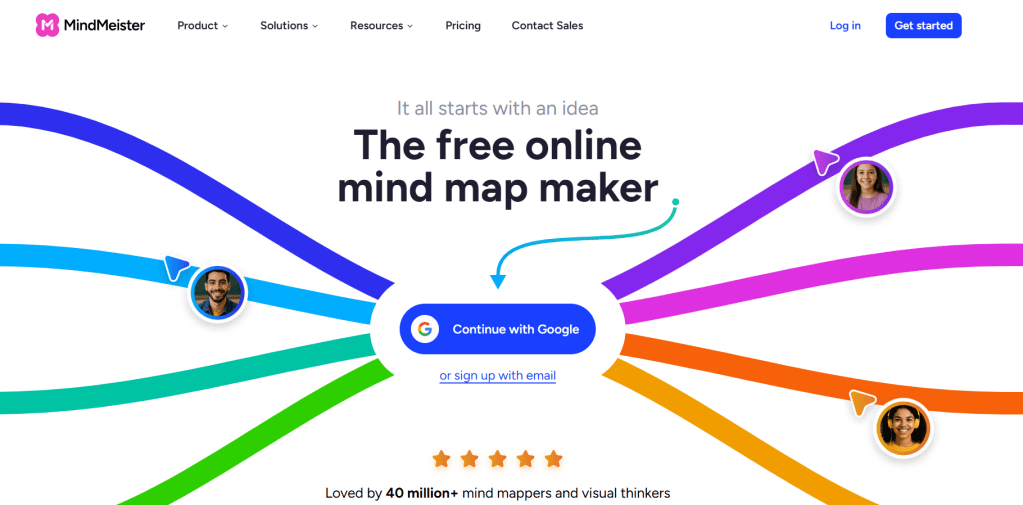
MindMeister is a globally renowned cloud-based mind-mapping tool that allows writers to create, edit and share mind maps from anywhere. Today, this platform has more than 40 million users worldwide. That makes it one of the world’s leading platforms for students, educators, writers, and businesses.
MindMeister is available on the web, Windows, macOS, Android, and iOS. That increases its accessibility.
One of its biggest strengths is real-time collaboration. Multiple users can edit the same mind map. Its simple and understandable interface offers advanced customisation options that enhance its credibility.
Best for: Novelists, Screenwriters. Researchers, and other storytelling projects.
Price: MindMeister offers a free plan with limited essential features.
Their three paid plans, Personal, Pro, and Business, offer unlimited maps, collaboration tools, advanced export options, presentation features, and AI capabilities. Their Personal plan starts at $6.50/month, Pro at $10.50/month, and Business at $15.50/month.
Note: Prices can vary according to custom settings and the subscribed plan. Users, please check the official website for the latest details.
Key Features:
- It is a cloud-based tool that helps you access your mind maps from anywhere.
- Offers real-time collaboration. Has AI-powered mind map generation that helps generate structured mind maps, brainstorm ideas and summarise information.
- Provides multiple layouts to organise ideas according to your writing style or project needs.
- Can attach detailed notes, images, videos, files, and hyperlinks to branches.
- Also includes task management integrations, presentation mode, custom themes, export and import options.
3. Mindomo
Official Website: https://www.mindomo.com/

Mindomo is widely known for combining mind maps, concept maps and Gantt charts in a single application. It provides an effective workspace to develop every aspect of a story. One of Mindomo’s strongest advantages is its offline and online functionality.
Today, Mindomo has more than 8.5 million users worldwide. It also helped users create more than 40 million diagrams. Its Android app has also crossed 5 million downloads.
Mindomo is available on Windows, macOS, Android, iOS, and Web. The software also supports collaboration, templates, customisable themes, synchronisation and more advanced tools for both beginners and advanced users.
Best for: Writers, educators, students, project managers, and creative professionals.
Price: Mindomo offers a free plan with limited core features.
For premium and advanced tools, Mindomo offers paid Personal, Professional, and Team plans. Their Premium plan starts at €6/month, and Professional is €13.50/month.
Note: Prices can vary according to custom settings and the subscribed plan. Users, please check the official website for the latest details.
Key Features:
- Mind maps, organisational charts, and Gantt charts.
- Work without an internet connection, and synchronise your projects when back online.
- Writers can invite co-authors for real-time feedback or editing.
- Hundreds of templates allow attaching images, videos, audio recordings, notes, and documents.
- Offers task management, export and import options, and presentation mode.
4. GitMind
Official Website: https://gitmind.com/

GitMind mind mapping is an AI-powered tool popular among writers, students, entrepreneurs, and educators. Its simple, clean interface with AI features attracts a global audience. Today, this platform has crossed users worldwide. Its app also surpassed 1 million downloads on Google Play.
For writers, it is a valuable tool for developing story ideas in a more structured way. Its drag-and-drop editor allows writers to expand or reorganise ideas effortlessly.
GitMind is available on the web, Windows, macOS, Android, and iOS, with cloud synchronisation. Users can easily access their projects across multiple devices.
Best for: Novelists. Bloggers. Screenwriters. Educators. Researchers and Businesses.
Price: GitMind offers a free plan with basic mind mapping features and limited AI functionality.
It offers three paid individual plans and one enterprise plan. The Basic plan costs $7.19/month. The Pro plan costs $14.39/month, and the Ultra plan costs $21.59/month or $17.25/month annually.
For larger organisations, the Business plan offers custom pricing based on team requirements.
Note: Prices can vary according to custom settings and the subscribed plan. Users, please check the official website for the latest details.
Key features:
- Its AI helps generate structured mind maps, brainstorm ideas and summarise information.
- Provides multiple diagram types, such as mind maps, flowcharts, organisational charts, fishbone diagrams, and concept maps.
- Their beginner-friendly interface helps you easily organise branches.
- Rich media support with real-time collaboration. Can also attach notes, hyperlinks, images, icons, documents, and invite teammates to collaborate.
- Provides a wide range of templates with simple import and export options.
5. Mapify
Official Website: https://mapify.so/

Mapify is also a renowned AI-powered mind mapping platform. It can automatically generate structured mind maps from text, PDFs, web pages, YouTube videos, documents, and AI prompts.
Mapify is available across iOS, iPadOS, macOS, Android, and the web. It offers AI-powered document summarisation, brainstorming, and mind map generation.
For writers, Mapify works as an intelligent brainstorming assistant that speeds up the planning process. It allows writers to focus more on storytelling rather than manually arranging every detail.
Best For: Beginner storytellers. Researchers. Content creators. Writers.
Price: Mapify offers a free plan to explore its core features with AI-powered capabilities.
This platform has three premium plans. The Basic plan costs $9.99/month. The Pro plan costs $19.99/month, and the Unlimited plan costs $29.99/month.
Note: Prices can vary according to custom settings and the subscribed plan. Users, please check the official website for the latest details.
Key features:
- Can create complete mind maps automatically from a simple text prompt, website pages, PDFs, or videos within seconds.
- Expand story concepts, characters, themes, and creative ideas using AI assistance.
- Writers can edit, rearrange, or expand AI-generated mind maps with a drag-and-drop interface.
- Export mind maps in formats such as PNG, PDF, and others.
- Collaboration and cloud-based workspace are also available.
6. ClickUp
Official Website: https://clickup.com/
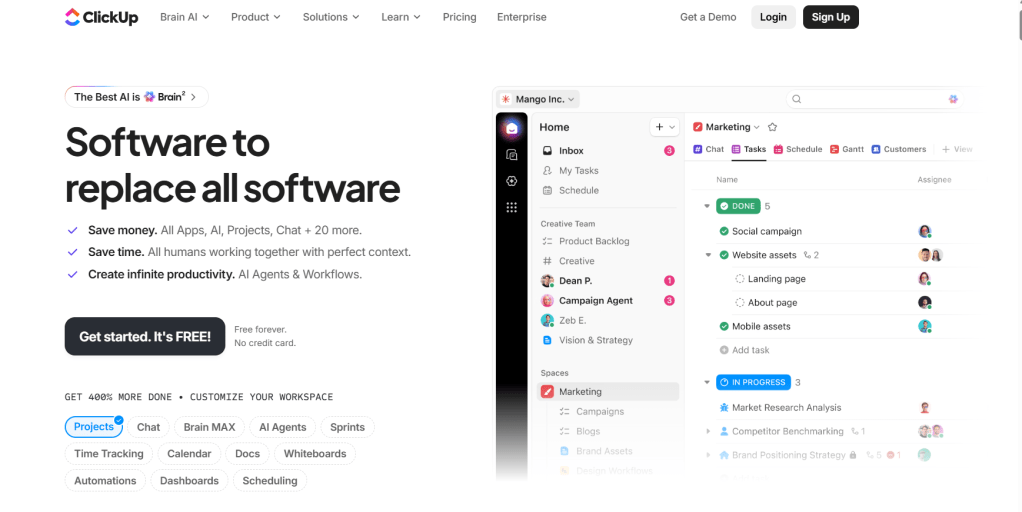
ClickUp is an all-in-one project management platform. It combines task management, whiteboards, mind maps, goal tracking, AI assistance and team collaboration into a single platform.
Today, ClickUp is used by millions of users. It has crossed 10 million users and has become one of the fastest-growing mind mapping platforms. It is available on Windows, macOS, Web, Android, and iOS.
ClickUp is an excellent tool for authors, screenwriters, and publishing teams. It also includes ClickUp AI agent, which helps generate ideas, summarise notes, draft content, and more.
Best for: Novelists. Screenwriters. Storytellers. Marketing teams. Project managers.
Price: ClickUp offers a free plan with basic features, including task management, whiteboards, and collaboration tools.
It offers three paid plans: Unlimited, Business, and Enterprise. The Unlimited plan costs $7/user/month, the Business plan costs $12/user/month, and the Enterprise plan is available for larger teams with custom support.
Note: Prices can vary according to custom settings and the subscribed plan. Users, please check the official website for the latest details.
Key Features:
- Brainstorm freely on digital whiteboards with text, images, drawings, and sticky notes.
- Generate ideas, summarise documents, and assist with brainstorming using AI tools.
- Create manuscripts, chapter outlines, research notes, and character profiles directly within.
- Easily switch between List View, Board View, Calendar View, Timeline View, Gantt Chart, and Mind Map.
- Task management, templates, collaborations, and cloud synchronisation are also available.
7. Miro
Official Website: https://miro.com/
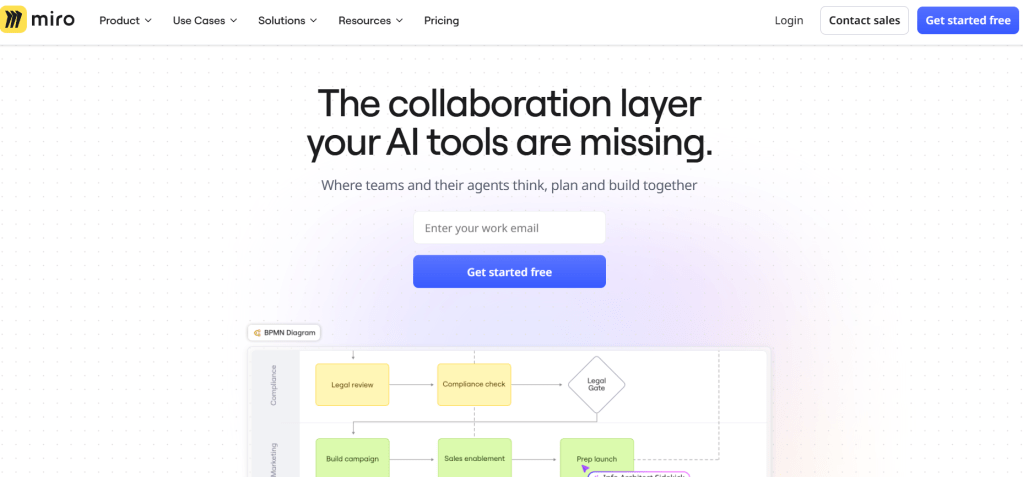
Miro is a cloud-based collaborative whiteboard platform designed for brainstorming, mind mapping, and project planning. It is also one of the leading platforms used by millions of users across businesses, education, startups and creative industries.
Miro offers an infinite digital canvas, allowing users to freely organise ideas, diagrams, sticky notes, images, documents, and mind maps in one workspace.
Today, Miro is trusted by over 35 million users worldwide. It is available on Windows, macOS, iOS, Android, and the web.
Best for: Novelists. Screenwriters. Comics. Complex storytelling projects.
Price: Miro offers a free plan that includes limited core features.
It offers three paid plans: Starter, Business, and Enterprise. The Starter plan costs $8/member/month when billed annually, while the Business plan costs $20/member/month.
The Enterprise plan offers custom pricing for organisations with 30 or more members.
Note: Prices can vary according to custom settings and the subscribed plan. Users, please check the official website for the latest details.
Key features:
- Create unlimited mind maps, diagrams, and storyboards on a workspace.
- Generate and edit mind maps quickly using a drag-and-drop interface. Add images, videos, documents, PDFs, links, and icons.
- Use visual brainstorming, digital sticky notes and real-time collaboration.
- Gives access to hundreds of templates for mind maps and brainstorming sessions.
- Miro AI generates ideas, summarises content, and improves brainstorming sessions.
8. Coggle
Official Website: https://coggle.it/

Coggle is a cloud-based mind-mapping and flowchart software designed to simplify brainstorming. Users can access their mind maps through any web browser without installing desktop software. Mobile access is available through web browsers.
Coggle has gained popularity for its easy-to-use interface. It focuses on creating clean, visually appealing diagrams with a minimal learning curve. Its simple drag-and-drop interface allows users to make easy edits.
Today, Coggle is used by more than 10 million people worldwide. As a web-based collaborative mind-mapping platform, it also has more than 2 million installs through the Google Workspace Marketplace.
Best for: Students. Beginners. Authors. Storytellers. Screenwriters. Bloggers.
Price: Coggle offers a free plan with a limited number of diagrams and basic collaboration features.
It offers two paid plans. The Awesome plan costs $5/month, and the Organisation plan costs $8 per member/month.
Note: Prices can vary according to custom settings and the subscribed plan. Users, please check the official website for the latest details.
Key features:
- Provides unlimited branches to organise complex stories and writing projects with details.
- Provides real-time collaboration, automatic cloud saving and easy drag-and-drop editing.
- Create flowcharts for story progression, decision trees, and writing workflows.
- Insert images, hyperlinks, and notes directly into branches to enrich research and story planning.
- Use different colours to organise characters, subplots, themes, locations, or timelines for better visualisation. Users can also export projects with automatic synchronisation across devices.
9. MindMup
Official Website: https://www.mindmup.com/
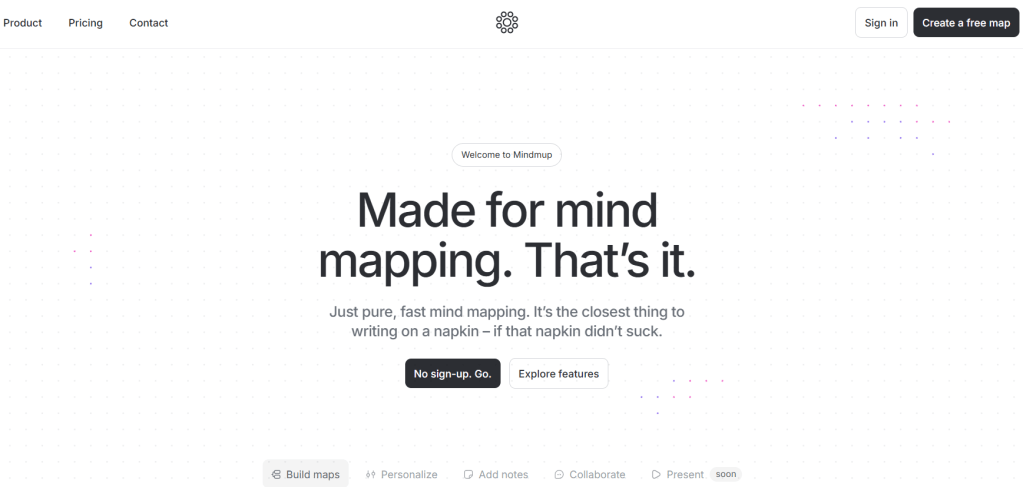
MindMup is a web-based mind mapping tool designed for brainstorming, project planning, and educational use. Since its launch, it has become a popular choice among writers, students, teachers, researchers, and businesses for its simple and clean interface.
For writers, MindMup is an effective tool for planning novels, screenplays, blog series, and research papers. It is integrated with Google Drive and Google Workspace. Its app has surpassed 10 million installs on the Google Workspace Marketplace.
Best for: Novelists. Screenwriters. Bloggers. Beginner storytellers.
Price: MindMup offers a free plan that provides access to its core features with limited storage.
It offers three paid plans: Personal, Team, and Organisation (SSO). The Personal plan costs $6/month when billed annually. The Team plan costs $9 per user/month, while the Organisation plan costs $15 per user/month, both billed annually.
Note: Prices can vary according to custom settings and the subscribed plan. Users, please check the official website for the latest details.
Key features:
- Create and edit mind maps directly in your web browser.
- Save, organise, and synchronise mind maps with Google Drive for easy cloud storage and access.
- Easily rearrange branches through an easy-to-use interface.
- Visualise characters, timelines, plot structures, chapter outlines, and research notes within. Share mind maps online or publish them for collaboration and presentations.
- Attach notes, hyperlinks, images, and additional information. Users can also export projects as PDF, PowerPoint, and other supported formats.
10. Ayoa
Official Website: https://www.ayoa.com/
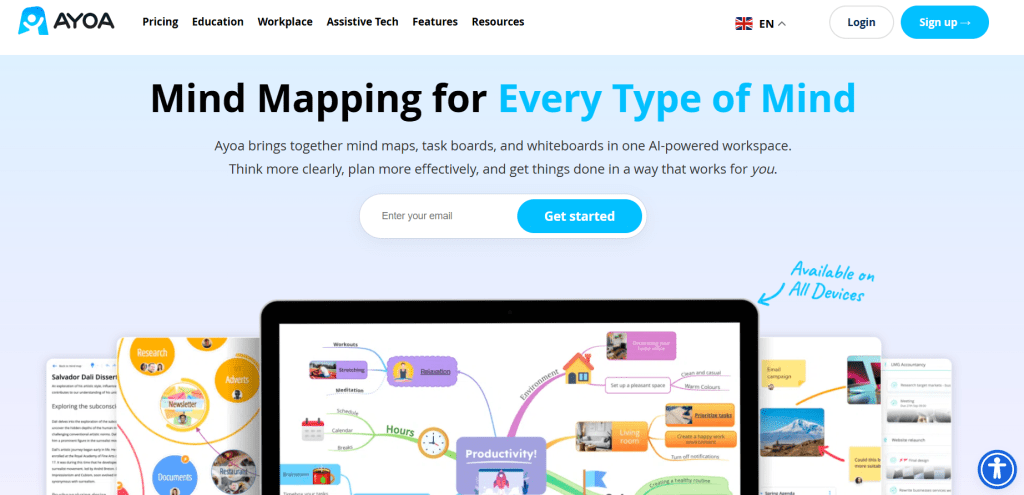
Ayoa is all-in-one mind mapping software. It combines visual brainstorming, project planning, AI-powered idea generation, and task management into a single platform. For writers, Ayoa offers much more than mind mapping.
Ayoa has not officially disclosed its global user count. However, its Android app has surpassed 100,000 downloads on Google Play and is used by thousands of educational institutions and organisations worldwide.
One of Ayoa’s greatest strengths is its organic mind mapping style, which resembles hand-drawn mind maps. This visual approach encourages creativity and free-flowing thinking. It also helps to manage writing schedules using planners, calendars, reminders, and more. It is available on Windows, macOS, Web, Android, and iOS, with cloud synchronisation.
Best for: Screenwriters. Bloggers. Novelist. Beginner storytellers.
Price: Ayoa offers a free plan with basic features.
It offers a single premium subscription called Ayoa Ultimate. Ultimate costs £13 per user/month, £10 per user/month when billed annually.
Note: Prices can vary according to custom settings and the subscribed plan. Users, please check the official website for the latest details.
Key features:
- Create colourful, hand-drawn-style mind maps that encourage creative thinking and natural brainstorming.
- Use Ayoa AI to generate story ideas, expand concepts, summarise information, and overcome writer’s block.
- Brainstorm freely on digital whiteboards with notes, images, connectors, and visual planning tools.
- Collaborate with real-time editing. Export mind maps and projects as PDF, images, Word documents, and other supported formats.
- Access templates for creative writing, project planning, brainstorming, education, business, and productivity.
Final Words!
Every great novel, screenplay, or audio story begins with a single idea, but the way you organise that idea transforms it into something unforgettable.
The right mind mapping tool won’t write your story for you, but it can help you think more clearly with visuals and brainstorming. It is up to you how quickly you adapt modern writing software and make your writing journey easier with clear thoughts.
Now, it is your turn, writers!
I’d like to hear from you!
Which mind mapping tool is your favourite?
Share your experience in the comments below.
Also, if you found this guide helpful, please share it with your fellow authors, screenwriters and writing community.
And don’t forget to share your valuable feedback. Your every word matters to us and helps us grow as a better writing community.
Simran Thakur
Founder & CEO, AFAWW
Author| Audio story scriptwriter| Screenwriter| Blogger| Poet












Leave a Reply